Docwise: The Fourth and Final Journal App Review

If you are reading this review please make sure you read the reviews on Browzine, Read, and Docphin to make an informed decision as these products are all very similar to Docwise. These apps help users view and read journals on the iPad. Docwise is another such app and the review below by Joey Nicholson is the last of the apps to be reviewed in genre. I want to thank Joey for his very thorough review. Hopefully after reading over the four reviews you will learn about each of the products and have the information to choose a product.
Docwise Revew
by Joey Nicholson
Docwise comes from new contenders in the medical journal app market. It is co-founded by two MIT alums, who both went on to pursue further education in healthcare (one is a practicing surgeon). They bill it as “a personalized e-journal for physicians” and as “the efficient way to stay up to date on all your medical news”. Currently, this app is only available for the iPad.
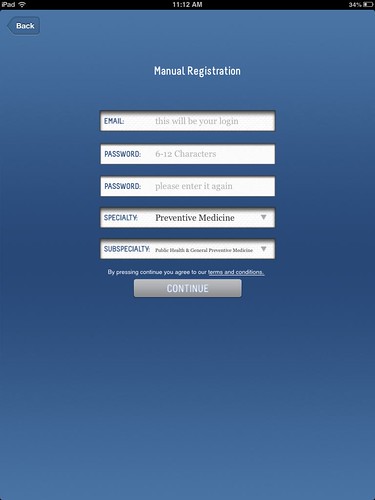
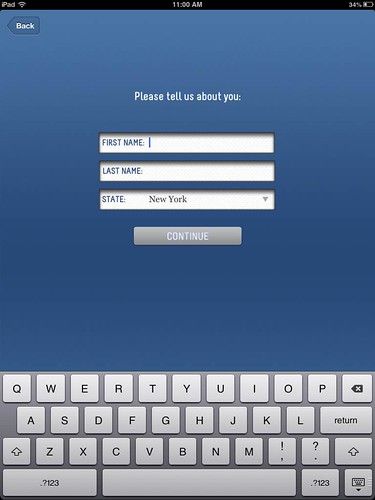
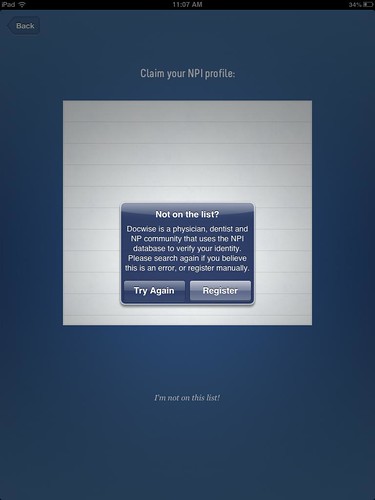
Once you download the app, you need to register for an account by adding your personal information. Since it is designed as a “physician, dentist and NP community”, the app will link to your National Provider Identifier (NPI) profile so that it can create a beginning journal collection tailored to your speciality. For those of us that aren’t physicians, we can still get in by using the manual registration option.

Image1

Image2

In the manual registration, you are asked to provide your specialty and subspecialty. These items are required so that the initial journal collections you are shown are tailored to what you do and your interests. Theoretically, this should take some of the effort out of pulling together all those journals that someone may want to read by already having them grouped by topic. I selected preventive medicine and public health to start.

Image3
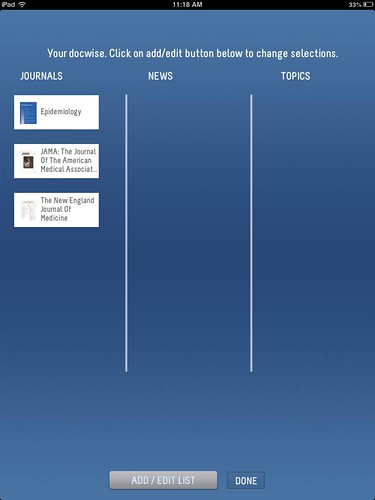
Once you’ve indicated your speciality, the next screen presents your starter collection. For public health, the collection isn’t very large and should probably be expanded to include something like the American Journal of Public Health as a core title. But, the three titles that come up are relevant.
Image4
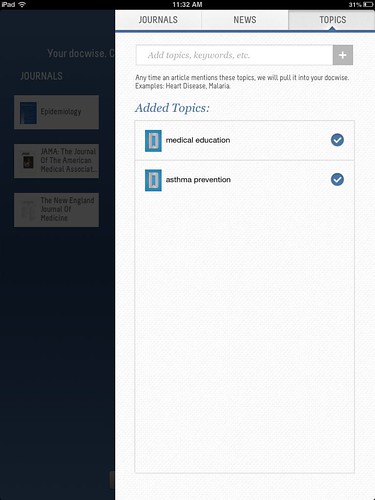
From here you can tailor what it is you want to see in docwise. They have this broken down into three categories. You can add specific journals, you can add news feeds, or you can add topic areas.
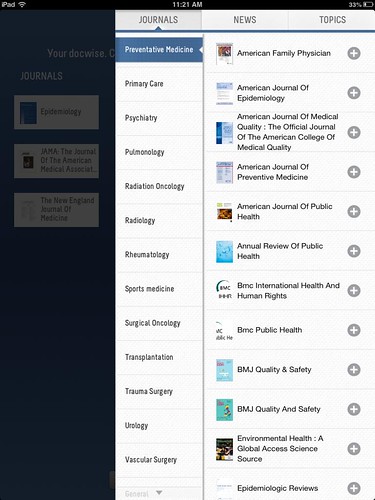
Adding new journals to your personal collection is very easy, assuming you know in what category the journal of your choice is placed. Under Preventive Medicine, you can quickly hit the plus signs to add AJPH, BMC Public Health, and several other relevant journals. A search box here would be nice, I couldn’t find Academic Medicine under any of the journal specialty categories.
Image5

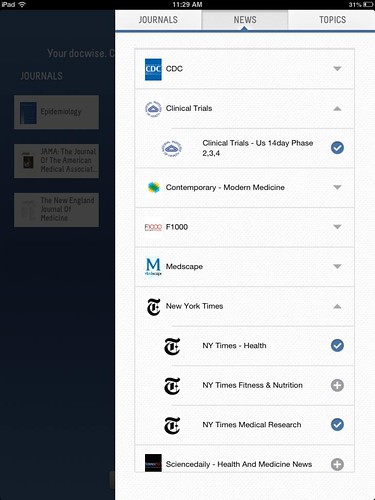
A feature that I really like is the ability to add news stories to this, not just academic journals. There is a decent selection of top health-related news sources, including New York Times Health, Fitness, and Medical Research, and feeds from ClinicalTrials.gov and the CDC.

Image6

Next you can enter topics in which you are interested. By using key words that you put in, docwise will create a topic feed and pull in articles from any journal on these terms. What isn’t clear about this from a librarian perspective, is where these key words are being searched. Title? Abstract? Full text? MeSH terms? PubMed? GoogleScholar? Once you are done adding journals, news, and topics you swipe that menu away and click done.

Image7

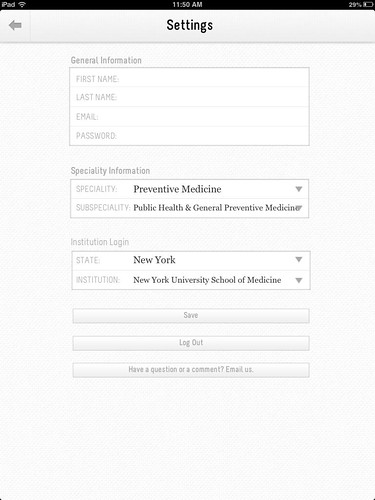
While you can start reading abstracts and free articles that you happen upon right away, the next logical step is to add your institutional login information. To do this, you have to hit the Menu icon in the top right and then hit the gear icon in the bottom right to access your settings.

Image8

Currently not all institutions are available in the institution login drop-down menus. While it doesn’t say this outright, I assume that you can use the link to email them and they would add your institution. Fortunately for me, one of the developers is a surgeon at my institution, so we are already in there.

Image9

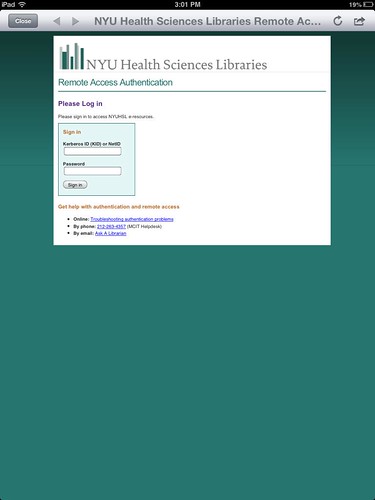
Once you’ve set up your institution, you can start reading your articles. In my case, I am routed to my library’s remote access login web page when I try to read a full article. I enter my user name and password and am taken directly to the article. Since this service is based on how the library sets up their remote access, this will vary depending on the institution. After I enter my login information once, it does retain it for a while. I can continue to read articles without having to enter my login information again. But, if I put it down for a while or come back to it another day then I had to enter it again.

Image13

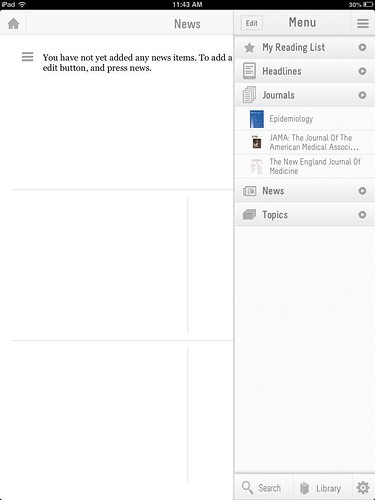
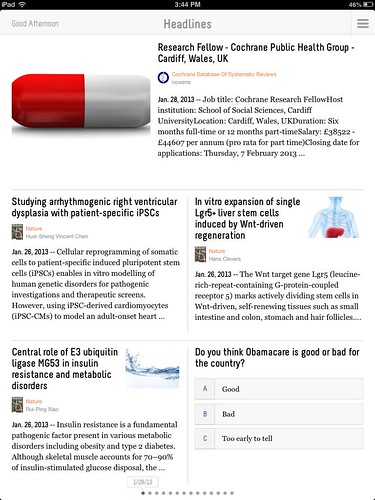
The home screen default displays headlines from a variety of your selected resources. The layout looks much like Flipboard or Read by QxMD.
Image10
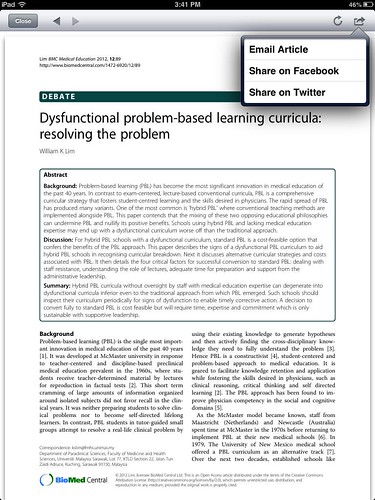
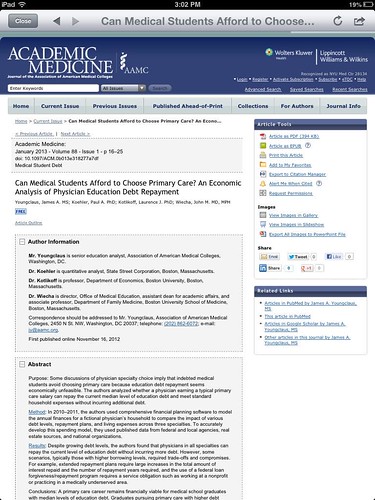
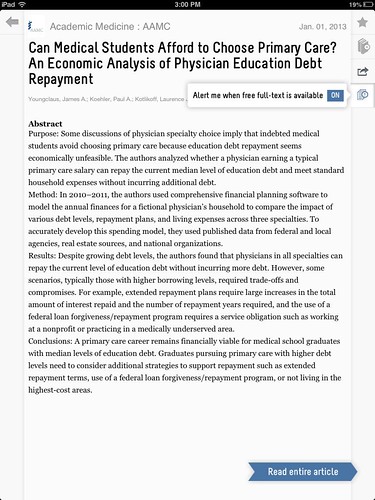
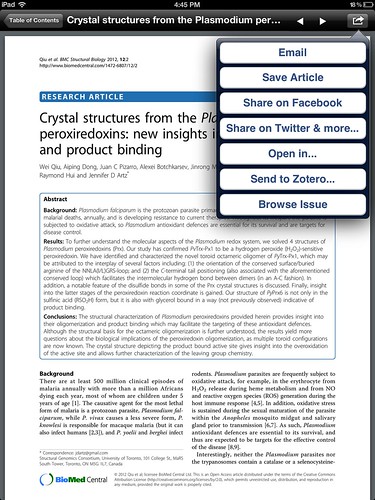
When you click on an article title/abstract of interest, you are taken to see the full abstract in a built-in web browser. One downside of this is that you must be connected to WiFi or 3G to browse or read articles, there is no clear way you can save them for reading offline. The available options are to share on Facebook or Twitter or to email to yourself.
Image14
It would be nice to be able to open the PDF of the article in iBooks (or whatever PDF reader one chooses to use) to save it for offline reading and reference. You are also given the option of adding an abstract to your reading list or to your library. However, when I tried to access these offline I was unable to access the library at all and the reading list only provided the abstract, not the full article (even though I had already opened and read the PDF).
Image12
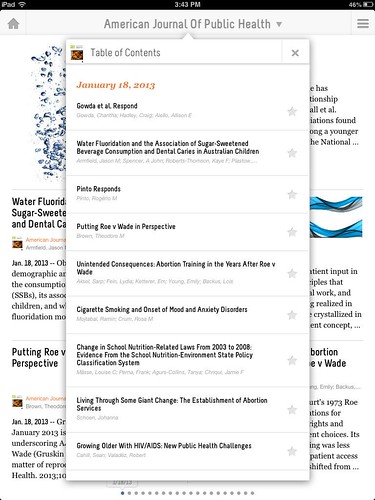
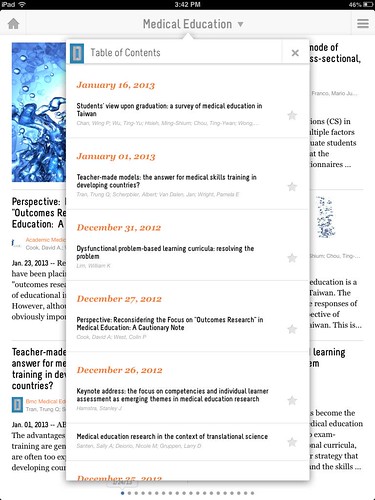
The default sort order in the headline view is date of publication. If you’d like to browse within a particular issue of a journal, this is fairly easy. You can click on your menu on the top right and select your journal of interest. When you go into an individual journal, you can click on the journal title at the top to see the table of contents arranged by date. Page numbers would probably also be useful to display here, but I still often see references to specific pages and like to double check.
Image15
Once you click on an article, you will see an intermediary window where you are given options to add the article to your favorites, add it to your library for offline reading, or set up an alert to tell you when it is available for free. However, this is not perfect. Through no fault of the developers, information on when and where specific articles become free is often spotty and incorrect. Several of the articles I tried are currently available for free, but the journal as a whole is not.
Image11

Coming back around to the topic search that I set up on medical education, it is very unclear why these articles come up in the search. I do get a lot of articles, but I am unclear why. Not everything from Academic Medicine or Academic Emergency Medicine is included, and what is included only shows you the journal title in the Flipboard-type view, not in the table of contents view. This is a confusing feature that could be improved by a few tweaks, such as including the journal titles and page numbers in the table of contents view and specifying where and what you are searching.

Image16
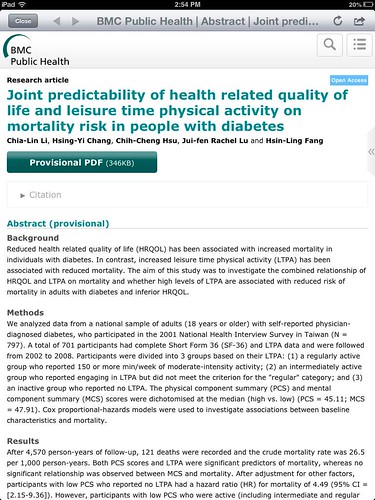
One confusing point is that depending on the journal, you are given a different look when you click to read the abstract. The caveat to this may not be immediately noticeable to any given physician. Articles that are in open access journals (BMC Public Health, PLoS One, etc) will link directly to that journal’s web site from the main view. This does not give you the option of adding an article to your reading list or saving it to your library. There is a work-around if you want to do those things. You can go into the individual journal’s table of contents, select the article from there, and then you are presented with the same view you will see for other articles.

Image17

Unfortunately for many, there is no indication of which journals/articles are open access and which journals would be behind a pay wall. Users who do not have an affiliation that will pay for their access will have a more difficult time accessing articles and navigating which ones are freely available. It does seem that most of the health and medical related news items are freely accessible. One potential improvement could be a “Specialty” area that includes any open access journals or free content, although I’m sure that would be burdensome and complicated to maintain accurately.
Overall, I think the app has a very nice design and is easy to use. It integrates well with a variety of library remote login systems and is free to both users and libraries. It could definitely use a few improvements to enhance the quality and reliability of the features, but this will probably come in time. From my point of view, having news items included is one of the best features. I find that our users often read the popular media health care stories anyway, so it makes a lot of sense to include them in this app. This app will likely continue to improve as users suggest additional helpful and new features.

MDConsult and ClinicalKey

Much was posted on Medlib-l when Elsevier announced their decision to drop MDConsult for ClinicalKey.  I can’t say that I am surprised by the decision because I didn’t really see the company keeping both products in tandem especially when it appears that ClinicalKey ate MDConsult’s content (and then some).

In August I wrote a brief review of ClinicalKey on my blog, and a longer more extensive (and more directed at doctors) review on iMedicalApps.com.

A few things have changed and have been updated since August and since the latest news of MDC’s departure I thought I would provide an updated brief review focusing a little bit on the differences between MDC and CK.

MDConsult had a core collection/subscription as well as specialty collections/subscriptions.  I have heard rumors and conjectures that ClinicalKey might split up their ginormous collection according to subjects.  If this were the case I would assume (total speculation!!) that the ClinicalKey core would be the entire kit and caboodle while their specialty parts would broken down by subject.  As I mentioned, this is pure guessing on my part, I have no insider knowledge and the idea that CK might be split up and sold in parts is just rumor.  However it were true it would be very helpful to community and smaller hospitals who might find the sheer quantity of information within CK to be overwhelming.  Really libraries will have to look at their usage stats for MDC to see if it even warrants thinking of CK as an option.  I know of some hospital libraries that just don’t use MDC enough so it would be very tough for them to justify CK.

MDC has many online textbooks, but CK has a lot more (approximately 1000 titles).  As I mentioned in a Medlib-l post there are some titles in MDC that are NOT in CK, but they are fewer than 10.  Diane Bartoli, VP, Global Product Development, responded to my Medlib-l post that there are only 9 titles not in CK.  Since we only subscribed to MDC’s core collection I wasn’t exactly sure how many were not in CK (I mentioned we noticed about 8) so I was hesitant to also include in the Medlib-l email that I noticed some of those titles were old.  That falls in line with Diane’s comment that those titles (ones not in CK) did not meet their standard for current, premium clinical content.
Khatri’s Operative Surgery Manual (2003) being replaced with Khatri’s Atlas of Advanced Operative Surgery (2012) is a great example. The title list of CK books can be found here (click on Master Content List). 

With 500 journal titles, CK carries many more journal titles than MDC. However, the backfiles for CK do not go as far back as MDC.  Most CK titles only go back to 2007 which is a significant backfile loss to any library that planned their journal subscriptions around MDC.  Determining whether you need to go as far back as MDC did and the rest of your current journal subscription needs will require very careful planning and attention to license agreements from your Elsevier journal providers if you decide to move forward with CK. 

The PDF login requirement is one of the more significan’t changes since my last review.  Thankfully Elsevier removed the requirement for full text journal articles and they worked with several libraries to improve HTML access to the book chapters and lessen confusion surrounding logging into the PDF.  However institutional users still are required to login using their personal login to access the PDF of books. 

The PDF login issue, is one that I think librarians and Elsevier will just have to agree to disagree on.  Diane mentions according to their data that the PDF login requirement isn’t a deterrent.  Yet librarians are fielding calls and emails from users on accessing the PDF.  A library would have to look at their MDC usage stats for the books that are both in MDC and CK and compare them to their use in CK.  It does no good to look at the aggregate PDF stats for CK’s books when they have so many more titles than MDC.  To get a true picture of whether the PDF login is a deterrent, librarians also need at least 6 months to 1 years worth of data.  Without having 6 months to 1 years worth of CK data, it is difficult to make a definitive conclusion as to whether it is truly a barrier.  Perhaps somebody will think to look in 6 -12 months and see the usage and report back.  Would be interesting poster for a meeting?

I reported on Medlib-l that the displayed listing of titles across web browsers is erratic. Clearly it was a file upload and certain browsers just didn’t know what to do with apostrophes.  Additionally, some titles include the author in the title while others don’t.  The MDC title list is definitely cleaner and easier to browse through.  However, Diane did report that they will be fixing these formatting issues in the next release.  Equally helpful is that they will be adding an “enhanced author title search function” to make it easier for people to find specific books via title or author.  This feature is planned for the Q2 release. 

Special textbook content is in CK not in MDC.  Recently there was a big discussion on Medlib-l regarding online only content and printed texts. The original poster was complaining about an LWW book.  But this practice is common across several publishers including Elsevier.  We have purchased several printed text books where important parts of the book are “missing” and only available online.  Some examples of missing pieces: chapter missing from printed book is only available online, references online only, updates online only, etc.  In Elsevier books this content was available via a scratch off code for use on StudentConsult, ExpertConsult, etc.  The content was NOT in MDC.  However, in CK all of the “missing” content that was only available via StudentConsult or ExpertConsult is in CK. 

MDC did not have an app and so far there is no CK app. So they are about the same from that perspective.  However as Diane mentions CK will be mobile optimized soon.  That should be very helpful as mobile devices are invading the work place.  For people who have FirstConsult or who have Clinical Key, and want to use FirstConsult as an app.  It is free and just needs your personal login (FirstConsult, ClinicalKey, MDconult valid users).  Curiously if you have a Science Direct login and you have ClinicalKey, your login could be your Science Direct login.  That might be confusing for some people.

I want to say that I really appreciate Diane’s response to my Medlib-l post.  It was very informative.  I just wanted update my brief review and MDC vs CK comparison on my blog because I know some people don’t subscribe to Medlib-l. 


Review of Docphin: App to View & Read Journals on iPad

Previously I reviewed two apps (Browzine and Read)  that help users view and read journals on the iPad.  There are two additional apps that I will be profiling on this blog.  Docphin and DocWise are similar journal apps for the iPad.  Thankfully Alison Aldrich has agreed to test and review Docphin (below) and Joey Nicholson will be reviewing DocWise.  My hope is to get all of the reviews posted then later try and do a comparison chart of the products.

So without further ado, her is Alison’s review of Docphin.

Review of Docphin
by Alison Aldrich

Earlier this month, Krafty reviewed Browzine and Read, two journal reader applications for iPad. Today I’m writing about Docphin. Docphin is of similar ilk to Browzine and Read but with a few interesting differences. 

The “phin” in Docphin stands for personalized health information network. Docphin was founded in 2010 by some entrepreneurial physicians looking to address that all-too-familiar information overload problem. Docphin users customize their experience by choosing the journals and news sources from which they would like to receive updates.Sounds like an RSS reader, right? Docphin attempts to add value over something like Google Reader by suggesting sources based on specialty, simplifying access to full text, and making it easy to comment on and share sources via social media channels. 

Access to Docphin is restricted to those with email addresses at one of approximately 100 U.S. academic institutions that have requested activation. Activation is free and does not necessarily involve anyone from Docphin communicating with the library, so you may have access to Docphin without knowing it. Check by entering your university email address.

 Once your institution is on board, signing up for an account is straightforward. Enter your level of education (attending, fellow, resident, medical student, or other) and between one and three medical specialties of interest to you. Docphin suggests news feeds based on your selections, but you have the final say over the sources you choose.

An important note: Docphin does not cover every journal. It draws content from around 250 journals, so about 5% of the journal titles indexed in PubMed. A Docphin representative explained to me in an email message that journal titles were selected after consultation with hundreds of practicing physicians, including Docphin’s official team of Ambassadors, about what would be the highest impact titles in each specialty. 

In addition to journals, Docphin also draws content from about 250 twitter feeds, many from organizations (publishers, government organizations such as the CDC, AAMC, etc.) and a few from individual physicians. There are a handful of mainstream news media feeds available, too. 

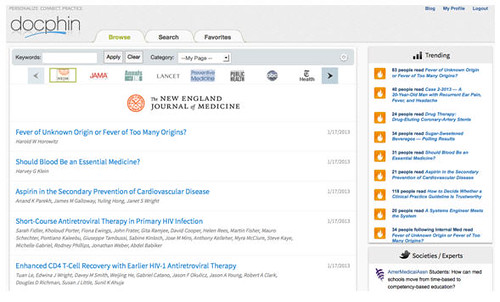
I set up my profile to watch four internal medicine journals, two public health journals, and news feeds from ABC and the New York Times. My home screen looks like this in a regular web browser:

docphin1
And here’s how it looks in the iPhone app:

docphin2
 

Back to the regular web version, in the right column, I see articles that are trending among Docphin users right now. Clicking a journal title smoothly overlays this screen:

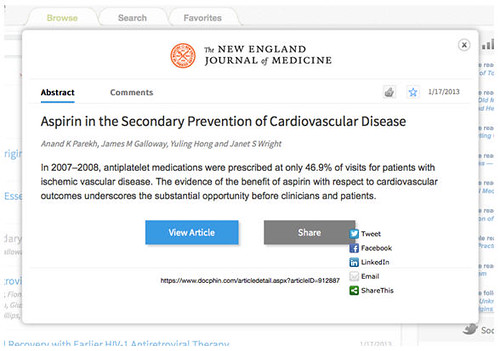
docphin3

I have the option to view the article (this prompts me for my proxy server login), share the citation via social media, like it, comment on it, or mark it as a favorite. I have the option to create my own keyword tagging scheme to keep the articles I tag as favorites organized.

From my home screen, clicking to the Search tab allows me to search by keyword within all of Docphin’s Journals and News collections, practice guidelines from the National Guidelines Clearinghouse, UpToDate, News, Images, and Videos. The UpToDate search does not prompt me for a proxy server login.

Docphin sends regular email alerts about new content from the sources you chose. Email alerts can be turned on and off under Privacy Settings.

Things I Like

The interface is clean and navigation is smooth.

For the journals it covers, Docphin works quite well with my institution’s proxy server as long as our subscription access is direct from the publisher. The system breaks down when it comes to journal content we get through a third party vendor such as EBSCO or Ovid. Those articles were unavailable to me through Docphinfrom off campus. 

I like the integration of Twitter feeds and trends data. Docphin does well to acknowledge these alternative modes of information discovery.

I also like that mainstream media feeds are included. I don’t know many residents who have time to catch the evening news. Docphin could help them stay a step ahead of what their patients are hearing and reading.

 
Things I Would Like To See

Right now, Docphin can only be accessed through a web browser or an iPhone app. There is no iPad-optimized Docphin application yet, although one is coming. An iPad app will make it much easier to interact with Docphin PDFs on the go.

I would also like to see a collection development policy of some sort.It’s difficult to get a global sense of what Docphin covers because journal titles and Twitter feeds are siloed into lists by specialty. I would like to see a master list of journal titles somewhere.

Docphin does cover a number of open access journals, and of course abstracts are freely accessible. Why not open up this level of content to those outside of registered institutions? This seems like a strategic decision, I’m just not sure what’s behind it.

 
Other Thoughts

In many ways, Docphin reminds me of another social scholarship website making headlines lately: Mendeley. Both work with proxy servers to simplify full text access. Like Docphin, Mendeley attempts to encourage discussion around individual articles and to expose metrics about who’s reading what. Granted, the discussion part has not exactly caught on yet. There are many, many articles and few discussions. Still, I like the idea of a discussion platform that is independent of publishers—sort of a universal online journal club.

I have been impressed with Mendeley as a PDF and bibliographic citation management tool. These features combined withDocphin’s newsfeed personalization capabilities would make for a very unique product I think.

 
Bottom Line

Docphin is worth a look, and another look once the iPad app is released. The developers have been quite successful at growing the business through their networks of newer physicians and medical students. Your physicians and medical students need to understand, though, that while Docphin is an excellent current awareness tool, it is not the place to go for a comprehensive literature search due to its limited journal coverage and limited search functionality.

For further reading:

TechCrunch article: http://techcrunch.com/2012/05/11/docphins-dashboard-for-doctors-expands-nationwide/

 An interview with Docphin co-founderMitesh Patel: http://www.imedicalapps.com/2012/08/questions-mitesh-patel-docphin-medical-journal-tool/

 Another Q&A with Mitesh Patel: http://www.healthtechinsights.com/emerging-health-technology-spotlight-qa-with-mitesh-patel-of-docphin/


MLA 2013 Needs Bloggers!

Are you going to Boston for the MLA 2013 Annual Meeting?  Are you already going to be taking notes during certain sessions or activities?  Why not turn those notes into a blog post to earn AHIP points?

MLA 2013 wants bloggers and you might be able to help them out.  International librarians we could really use your help blogging as well!

Check out http://npc.mlanet.org/mla13/?page_id=19 to see if would be blogging as a…

  • Distinguished Member (10+ years): 3 posts from perspective of a long time librarian/information specialist. What has changed? What has stayed the same? What are you excited/disappointed/curious about?
  • Early Riser: 3 posts about events that take place prior to 9am, such as the YBP Health Walk & a Sunrise Seminar
  • Exhibits correspondent: 3 posts on things of interest in the exhibit hall
  • First Timer: 3 posts from perspective a new member/first time conference attendee
  • International Congress on Medical Librarianship (ICML) blogger: 3 posts from an ICML attendee or on ICML sessions
  • International Conference of Animal Health Information Specialists (ICAHIS) blogger: 3 posts from an ICAHIS attendee or on ICAHIS sessions
  • International Clinical Librarian Conference (ICIS) blogger: 3 posts from an ICIS attendee or on ICIS sessions
  • Library Student: 3 posts from perspective of a library science student
  • Lifelong learner: 3 posts about what you’re learning, 1 post must be a description of a CE course you took while at the conference
  • National Library of Medicine blogger: 3 posts on NLM activities (NLM update, Online Users’ Meeting, booth presentations)
  • Plenary Sessions: 4 posts on Plenary Sessions (must attend and post on Wednesday plenary)
  • Poster Sessions: 3 posts on poster sessions
  • Section blogger: 3 posts on section activities.  Posts on section sponsored programs, papers/projects by section members, business meetings, incoming/outgoing officers, etc. Membership in Section is preferred. List of MLA Sections
  • SIG blogger: 3 posts on special interest group activities. List of MLA Special Interest Groups
  • Social Butterfly: 3 posts, include Bearded Pigs, receptions and social events.
  • Your idea here: 3 posts from a perspective of your own design

Applications will be accepted January 2nd through February 15th via SurveyMonkey. Contact Kate Flewelling (flewkate at pitt.edu) if you have questions.

Seeking Virtual Projects

The Journal of the Medical Library Association (JMLA) has a new annual column describing innovative and notable virtual projects in health sciences libraries. This column will focus on library virtual spaces. “In an increasingly digital world, the library’s virtual space can be as much of a hub as the library’s physical space. Digital content and technology-rich library services are moving the library presence outside the physical building to support users in their digital spaces wherever and whenever needed.”

JMLA is looking for submissions of recent virtual projects for the Virtual Projects column.  The column will be published in October 2013.

Examples of projects that could be submitted include:

  • projects that improve the quality of the library’s virtual presence through webpages or its catalog
  • development of technologies that facilitate information discovery and content delivery (e.g., federated searching products and portals)
  • mobile-friendly resource and service initiatives
  • development of web 2.0/Library 2.0 initiatives (e.g., social networking applications)
  • hosting and preserving digital content activities
  • projects that demonstrate the use of library resources and services through the institution’s electronic health record (EHR)
  • collaborative ventures with campus or other partners to develop new digital resources and services


To be considered for this column, please submit a 200-word abstract of your virtual project or a link to your project web page that describes the project and why it is innovative/notable. Send your submissions to Susan Lessick, AHIP, FMLA, by March 15, 2013.

Read QxMD: Another Journal App for Your iPad

Recently I have been more atune to medical apps because I am in the process creating a libguide featuring medical apps.  From what I can tell, there are three main apps out there that try and provide full text access to institutional journals subscriptions via the iPad.  They are Browzine, Read, and Docphin.

Last week I reviewed Browzine, today I am going to review Read by QxMD.  Next week Alison Aldrich, will provide a guest post about Docphin.  (I usually try to use all of the products reviewed on my blog, but in this instance Docphin doesn’t work with the way my library provides off campus access and they don’t provide access to free journals.  So, I can’t try it. Alison has graciously agreed to try and write a guest post about it. -Thank you Alison!)  If possible, I will take the reviews and try and compare the three apps against each other.

Read is produced by QxMD which makes several medical apps. It is founded by “medical professionals” and is dedicated to “creating high quality, point of care tools for practicing health care professionals.”  They are partners with Cardio Exchange, Society for Vascular Surgery, Vascular Study Group of New England, American Academy of Family Physicians, and the Canadian Society of Nephrology.

It is also important to note their app is free and is available for the iPad as well as the iPhone (did not see an Android version). Their site promotes “seamless automatic one-tap access to full text PDFs available” for a lot of universities (full list scroll to bottom) including Johns Hopkins, Harvard, Washington University, and Yale. Despite advertising the institutions using Read, they do not include information on their website for librarians to add their institution. You have email them to add your institution, according to a tweet from QxMD .

After you download the app you are asked to create an account by adding information about your profession, specialty and institution.  I find asking for profession and specialty to be annoying but I realize this is for their usage stats. If your institution is not listed you can still use the app but you will get a warning that you will only be shown free papers (Take note because this will be confusing later on).
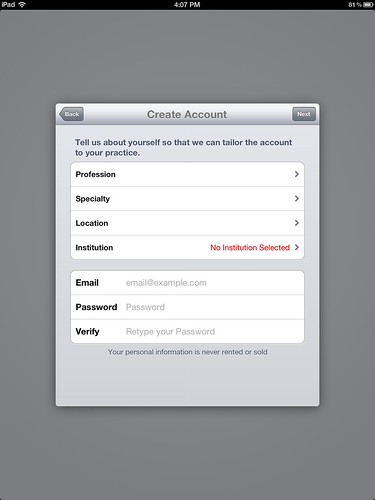
signin

Since my institution isn’t listed (it wasn’t listed for Browzine either, so we have a pretty equal comparison) I proceeded anyway without adding my it.
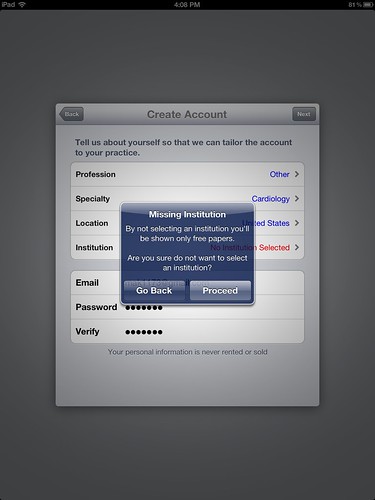
institution;

Next you are asked to select the specialties you would like to follow.  I chose Family Medicine because I know a few titles off the top of my head that are Open Access and would have free PDFs.
specialties

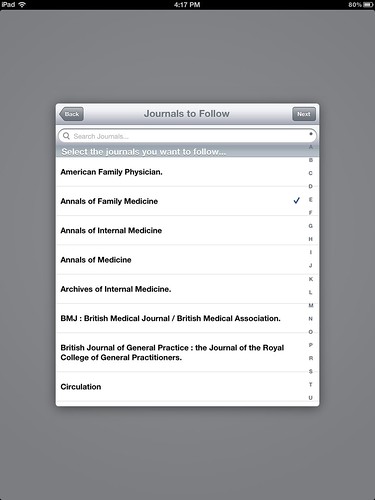
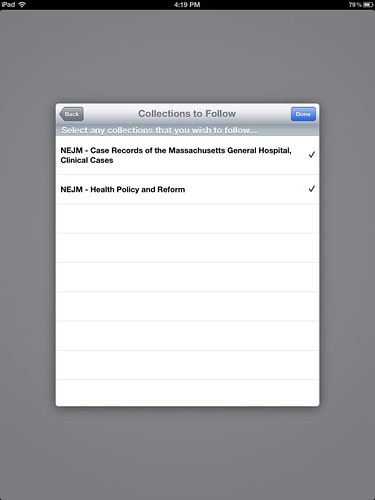
Once you select a specialty you are then asked to select journals to follow.  The first set of journals are ones within the specialty then you are presented with an A-Z list of all journals.  After selecting the journals you are also presented with a list of “collections” to follow. It appears they only have NEJM collections (which are subscription based and NOT free).
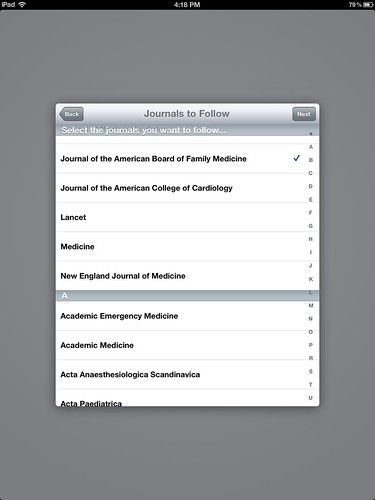
journals to pick

collections

If you are paying attention to my screen shots and with the fact that my institution is NOT subscribed you will notice that there are an awful lot of listings for non-open access titles.  For example: Almost all of NEJM’s stuff is available to only to paid subscribers. While Annals of Family Medicine  and the journal Family Medicine are free and have no embargo period on their most recent issues, that is not the case with the rest of the journals.  American Family Physician and Family Practice are not free and have an embargo on the current 12 months.

Personally I find this to be an area that has great potential to be very confusing to users.  If the first screen says “By not selecting an institution you will be shown only free papers,” then as normal average person (not somebody who understands nuances institutional subscriptions, free Open Access articles, and embargo periods, which most doctors don’t) I would expect that everything I see from the first screen forward would be free.  In other words since I told the app I don’t have an institution AND it told me I will only be shown free papers, then I would expect the app to be smart enough to only show free journals or papers.  Instead, I am able to see free papers and subscription papers side by side, only when I click on them do I realize whether they are available. (If it isn’t available I get message indicating I can’t download the PDF)

Now you might be saying, well this whole mess is pointless if your institution subscribed to Read. No it isn’t pointless. In fact, I think it gets even messier, because no institution subscribes to every journal.  There will be occasions where a user is logged in as your institution and selects a journal that your library doesn’t subscribe to (but is available on Read’s list).  The average user doesn’t know what the library subscribes to and will become frustrated when they tap to read the full text of an article and it can’t download the PDF.  Who do you think they will call when that happens? The following discussion plays in my head even now, “But it is listed on Read and your library is listed Read, so why isn’t it available?”

A listing of all possible journal titles that isn’t synced to a library’s holding list nor has the ability to only show free article for those not affiliated with an institution is confusing.  Doctors don’t know what articles are free and what aren’t without trying to first get the PDF.

 After you are done selecting the journals you are presented with a very helpful guide explaining your screen lay out.  This is necessary because there is a lot going on.
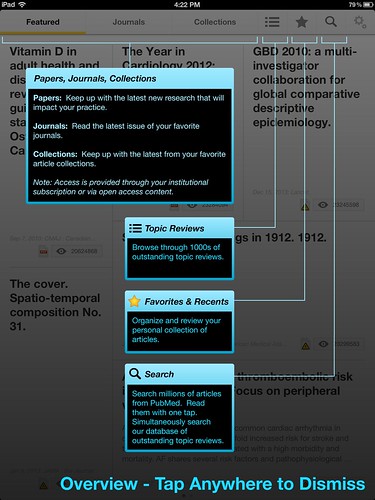
help

The display is set up similar to a Flipboard style of browsing, showing “Featured” articles by default.  There is no clear explanation as to what determines an article to be “Featured.”  As I mentioned I selected these specific journals:  Annals of Family Medicine, Family Medicine, American Family Physician and Family Practice.  However, the bottom right article is from the European Heart Journal which I didn’t pick.  (Sorry it is the journal is very faint, I couldn’t get it any darker.) I am not opposed to having featured articles, I like the idea because it allows people to become aware of articles outside of their normal journals.  But, I would like to know where they get featured articles from. Is it based on a rating system or something else? (My guess is it based on their algorithm they mention in a comment on iMedicalApps.)
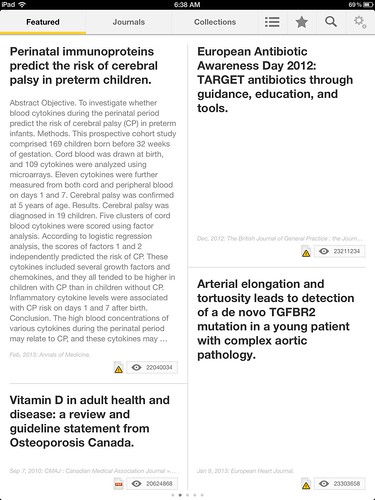
flipboard 1

Tapping Journals at the top bar allows you to flip through the articles within your selected journals.  The Collections tab just allows you to view the NEJM Collections (which currently are the only collections available and are not free).  The outline icon (underlined in yellow on image below, next to the star) is the Topic Reviews button.  It allows you to browse through “1000’s of outstanding topic reviews” which are organized from broad to narrow subjects  Again it is important to note that not all of the articles listed as topic reviews are free.
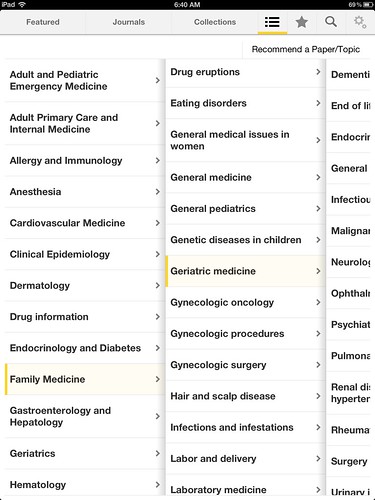
subject

Tapping the star allows you to select articles as your favorites which you can tag with your own words or from a pre-selected list for easier retrieval. Below tagged an article Family Medicine, and while I was starting to type another word the auto suggest popped up.  The auto suggest while dynamic is a bit limited and I’m not sure where they are getting the rather long terms/descriptions.  It appears they are either journal article titles and/or topic review subjects.
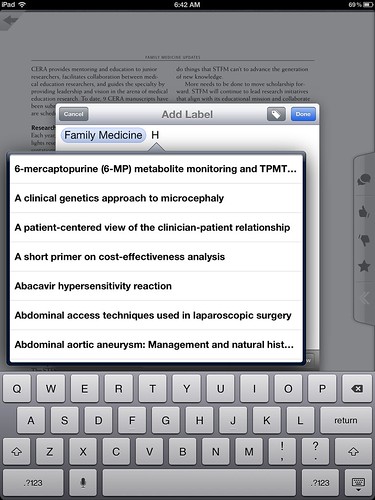
tagging

IF you have a subscription, downloading the article is very easy, you just tap on the title and it tries to download the PDF.  You can email the PDF (if you have access), tweet it, share it on Facebook, add a comment, star it (which saves it as a favorite), or rate it with a thumbs up or down. If you can’t download the article you get the message “Paper could not be downloaded” and you are encouraged to either view the citation in PubMed or Add Proxy.  If you don’t have access to the full text you can still email the citation, tweet, Facebook it, comment, star it, or rate it.
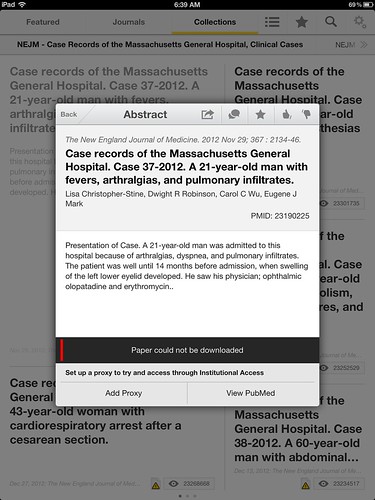
no pdf

Finally users have the ability to directly search PubMed while within Read.  This would be useful if you read an article on a specific topic and you wanted to quickly search PubMed to see if there were other articles on the same topic.  However the search is so limited, it would just be better to use PubMed app you already have on your iPad or go to PubMed using your iPad browser.  I did a quick and dirty search on heart attack.  I have no idea what algorithems it uses when searching the text word heart attack but I get completely different results when searching PubMed directly. (I looked both within relevance and publish date, neither of which seemed to be close the the PubMed results.)  I searched using the MeSH term myocardial infarction and got similar puzzling results.

Finally, there is an issue regarding timeliness.  While Read displays the current issue for some journals, that is not the case with all journals.  For example the current issue for the Annals of Family Medicine (a free Open Access Journal) is January/February 2013, yet the most recent issue displayed on Read is the November 2012 issue. The same is the case for Family Medicine, and The Journal of Family Practice.  This is a problem within what I call the core journals as well. While BMJ, JAMA, JACC, and NEJM have the current issue available Lancet is two issues behind. Since many of the journals are current this could be an issue as to when their software hit the journal sites, perhaps it just needs tweaking with certain journals.  When many of the journals have the most current issue, it can be difficult to try and discover the ones that don’t. Kind of like find an needle in a haystack but the need moves, because the software does eventually get the most recent issue.

(I don’t remember noticing this within Browzine because their display was slightly different so I wasn’t as aware of the timeliness of the citation as I am within Read.  I will have to double check how timely Browzine is.) 

The good news is this app is free to users and free to libraries who want to make their journals available.  However, those libraries without straight forward proxy servers might have difficulty registering with Read. They would really need to contact QxMD to see if the two systems work together.  Doctors who like the idea of Flipboard for their medical journals will be happy with the display and function of Read. 

According to the comments made by Read on an iMedicalApps review, they feel their algorithmic curation of the literature is perhaps the greatest strength of Read. “Rather than simply relying on our users to tell us which journals they want to read, we use a combination of machine learning, semantic analysis, crowd-sourcing and proprietary algorithms to figure out which articles our users should likely be reviewing.”  I think it is  matter of personality as to whether doctors end up liking Read’s selections based on their algorithms or whether they prefer a different method of selecting/reading their articles.  However if Read’s algorithm determines what users should likely be reviewing then I have to wonder why their algorithms chose editorials, not articles, to display on the first Read page for JAMA. Are JAMA editorials more important that articles?

I think Read has a lot going on with it and a lot of potential but I am concerned about the fact that it only contains a few of the BioMed Central and PLoS titles which are Open Access and possible confusion regarding what is available full text and what isn’t.  In theory I know doctors shouldn’t care whether an article is full text, if it is relevant they should find a way to get it.  However, theory doesn’t always work in reality.  I have seen more doctors ignore relevant articles because they weren’t full text or they couldn’t figure out how to get the full text.  I have doctors who won’t click an order it button to order an article (FOR FREE) from our library because they don’t want to deal with it. I think there needs to be a better way for Read to work with institutions so that doctors clearly know what journals are available to them and what aren’t. Doctors assume that if they input their institution then what they see is what the institution gets, which is not always the case.
 

The Future of ePub Browsing

Sunday I got an email from my county library, Cuyahoga County Public Library, about their new online journal platform called Zinio.  Zinio is a company that allows my public library to provide access to many of their magazine subscriptions on to my iPad (as well as other devices) in an easy to read format. 

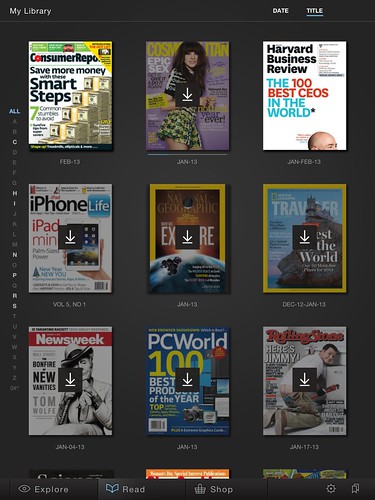
Here is a screen shot of the magazines that I selected to have on my iPad to read, all courtsey of my Cuyahoga County Public Library card.

 zinio

I was also in the process of finding apps for our medical library’s libguide.  I sent a tweet out asking for suggestions and some people including Third Iron responded.  Third Iron is a company that produces the product Browzine.  Their company which is has many executives with library degrees or significant library experience, works to make online journals available in an easy browsing experience for the online user.

Tuesday I spoke with Kendall Bartsch about Browzine, what it does and how it might work for our library.  Browzine is very similar to Zinio.  Where Zinio is magazines, Browzine is scholary publications and with its share, email, download, features, (not available in Zinio) it quite frankly blows Zinio out of the water. 

Browzine allows people to browse scholarly publications and read the table of contents to the recent issues of journals.  It works with various publishers such as Springer, Wiley, AMA, Nature, etc.  It also works with Open Access publications.  Users download the free Browzine app (currently iPad only but they are working on Android).  When they login to Browzine it asks them to select their library.  If their library has a subscription to Browzine they can login and access their library’s subscriptions via the iPad. 

Browzine is a very new company, they have quite an impressive list of libraries who are either trialing the product or have a subscription, including Welch Medical Library, Medical University of South Carolina, Northwestern, and Washington University.  If your library doesn’t have a subscription to Browzine, or if you want to try it out and play with it you can still download the free app and select Open Access titles which enables you to view the table of contents and PDFs of the open access publications and journal articles. 

There are a ton of Open Access titles and if your library subscribes to Browzine then there are a ton of publisher titles that users can access.  With that large of a number of journals it would get tedious to scroll through or search for your favorite journals that you like to keep up with.  That is why you are able to save those journals in your own personal library shelf.  So when you access Browzine you can go directly to that shelf instead of searching through a bunch of other journals.

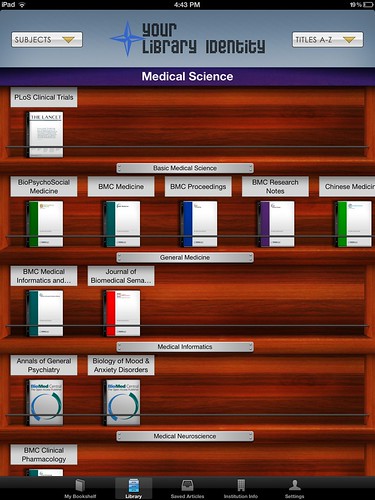
Here is a screen shot of Open Access titles in Biomedical and Health Sciences -Medical Science. If your library has a subscription your library’s name is where Your Library Identity is and your list of journals will be more than just the OA titles.  (Note: there are MANY OA journals, the picture below is just a small slice from the OA Biomedical & Health Sciences -Medical Sciences category.)

 oalib

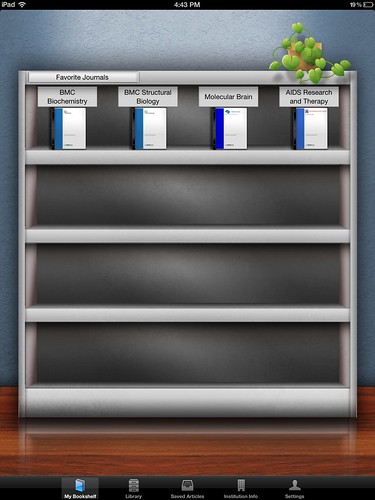
Here is a screen shot of my “favorite” journals that I like to read.  (Pretend I am doctor or researcher who likes to read these scholarly publications.)

 mylib

Here is a screen shot of the table of contents for one of my favorite journals. The yellow inbox indicates I have saved that article on my iPad.

toc

Here is a screen shot of the PDF of an article from the TOC and the options for emailing, saving, sharing, etc.

output

Browzine is compatible with iAnnotate (a popular PDF annotating app) and DropBox and Box as well as other programs. 

To say I was blown away was an understatement.  Finally now after all these years, people will be able to browse the table of contents easily AND connect to the article via the library’s subscription in an extremely easy way.  The concept of my own personal bookshelf is great.  The ability to export the articles is essential and thankfully is easy to do with Browzine.  Currently Browzine does not provide notifications when a new issue is available, however that is a feature that they are adding shortly.  When that does happen, users will see a little red bubble with a number next to their journals. 

As cool as Browzine is, they don’t work with every publisher yet.  (Publisher availablity list here.)  Also Browzine won’t work with database provided journals.  So for example, journals you get full text through CINAHL aren’t going to be available through Browzine. Perhaps that may be why LWW is not on Browzine? (LWW requires institutions to access journals through Ovid.)  However, for databases like ClinicalKey, which is an Elsevier product and has all Elsevier journals, one has to wonder if that will be in Browzine or if it will be considered a CINAHL (ClinicalKey and Browzine are both so new who knows).  If it is considered a CINAHL then that would be a shame since some libraries may look at ClinicKey as their Elsevier journal provider. 

While Browzine currently only does journals, I can see where this type of easy access can be applied to ebooks.  eBooks suffer from much of the same silo content problems as ejournals.  Each publisher has their own way of displaying and providing access.  You have to bounce around from provider to provider to view the ebook on your iPad (or even your laptop).  There is no easy way to find and access ebooks for medical libraries.  Most of our users don’t know how to find ebooks.  They sometimes check the catalog, but even then that is only a brief snapshot of some of the titles available.  PMC titles and other ebook collections aren’t always in the catalog because you are either waiting for the MARC records from the provider (in the case of large aggregators like Clinical Key with hundreds of titles) or you are simply unaware of the latest title that was added to the online collection. 

If we could get our ebooks to display like Browzine displays ejournals, I will jump for joy and quite possibly stop my ranting on the inaccessibilty of ebooks in the medical library. 


Volunteers Needed

MLA Research Section Needs YOU!

(courtesy MEDLIB-l)

They are coordinating the MLA-wide effort to characterize the literature that informs the 15 questions MLA members identified in 2011 as the most important research questions facing health sciences librarianship.  With your help, the Research Section will identify several teams of librarians with varied research experience to conduct systematic reviews for the questions using a standard protocol with results stored in a centralized database.

 They envision that each team will have at least one member with systematic review experience. However, this is also an opportunity for those seeking to learn more about systematic reviews to grow their knowledge through hands-on practice.

 Please consider volunteering for one of the systematic review teams being assembled to review our literature.  One tangible outcome for each contributor will be the opportunity for co-authorship on a published article; additional ways to build skills and share knowledge will arise throughout the process.

 Apply online by Friday, January 25, 2013.  

For more information on how the questions were identified, see the JMLA article at http://www.ncbi.nlm.nih.gov/pmc/articles/PMC3411260/ 


Questions about applying can be directed to Jon Eldredge, Chair of the Research Agenda Committee, at [email protected].  Details of the plans for the systematic reviews and processes will be shared with the medical library community broadly once teams are finalized and workflows are developed.  Thank you for your consideration!

Social Media Tracking Illnesses

Greetings! Happy 2013! This is the first full week after the holidays and I thought I would start off the new year right with a blog post. 

Hopefully you got your flu shot and weren’t hit with the flu bug that seems to have hit hard and early this year. We got a small stomach bug in the Krafty household.  Thankfully it was a 24 hr thing that was gone as quick as it came. 

Over the holidays while dealing with the stomach bug, I noticed a reference to a site that tracks illness via social media posts.  Sickweather.com, tracks self reported illnesses using social media.

“Just as Doppler radar scans the skies for indicators of bad weather, Sickweather scans social networks for indicators of illness, allowing you to check for the chance of sickness as easily as you can check for the chance of rain.”

Sickweather trolls the social media sites like Facebook and Twitter looking for when people post that they are sick.  Using the location based information from the social networks, they are able to map the illness. Their system supposedly is smart enough to differentiate between somebody saying, “I’m sick” and “I’m sick of the Browns losing.” (Interesting little fun fact: According to All Things D, “The company has found it must filter out messages with any mention of the word “fever” that also include the word “Bieber.”  Hee hee)  

There is one fairly BIG caveat.  The social information has to be publicly available.  Most people I know lock down their Facebook accounts which means their posts usually aren’t publicly available.  (I say usually because Facebook likes to change settings and some people like myself might find themselves posting publicly for a bit thinking they were posting privately.) 

Sickweather is an interesting concept, it isn’t the first time people have used the Internet to track illnesses.  In August of 2009 FluPortal (seems to be  no longer active) used the Internet to “collect and curate content from across public media as well as from trusted governement sources.”  They were using the reports from the news media and organizations like the CDC and WHO to build their outbreak maps.  It appears that Sickweather is the first company to use social media to track the spread of diseases.  (Others like Salathe and Christianini & Lampos for example, have studied the use of social media to track illnesses.)

Despite only having access to public social media updates, Sickweather claims to have declared the start of the flu season 6 weeks earlier than the CDC and may have dectected two whooping cough outbreaks.  Clearly there are enough people out there with public accounts (for example my Twitter feed is public but my Facebook isn’t) mentioning their illnesses to make for some interesting results. 

Several people have mentioned that you probably don’t want to rely on Sickweather if you have serious health concerns. Duh.  However, what I find interesting is the data.  There is a boat load of data out there ripe for the plucking and Sickweather is just another example of somebody finding and using the data.  There is already an overwhelming amount of medical data out there, and I’m not just talking about “I’m sick” tweets.  Data management is big right now.  Why? Because as I mentioned there is a ton of data out there.  Do a quick search on data management and librarian. The whole first page on Google retrieves pretty relevant results on data management and librarians, including information ARL’s Guide for Research Libraries: The NSF Data Sharing Policy (top result), MIT Libraries support of management & curation of the MIT community research data (second result), and a position description for a Data Management Librarian at Oregon State University Libraries (fourth result, the third result was a slide presentation). Data management has been mentioned several times during #medlibs chat sessions as an emerging role for medical librarians.   Margaret Henderson (@mehlibrarian) even stated “Data is the new book. That is where we need to go.”

So how are medical librarians positioned to deal with the onslaught of data?  How are library schools teaching librarians or information professionals to work with and manage data?  Or are we still playing around with our cataloging systems and copying the journals tables of contents and routing them?

*update*
Just seconds after this post went live I saw Kevin the Librarian’s post “A Data Management and Data Sharing Bibliography for Librarians” where he compiled a list of all the literature on data management a librarian would find useful.  He and his colleague @fsayre hope to have “Mendeley group where more librarians can join and share their experiences and ideas about working with data management.”  So if you are interested in learning more about data management, go to his site.

Friday Fun on Thursday

I am cheating a bit.  Today is Thursday but I am posting a Friday Fun post.  The reason is because this upcoming Friday is the Friday before Christmas and many people may be taking it off for a longer holiday weekend. 
(Note: I won’t be posting all next week.)

I wanted to take the opportunity to wish my dear friend and colleague Jodith Janes congratulations and best wishes on her retirement.  I was fortunate to have started my medical librarian career at the Cleveland Clinic and I consider Jodith my mentor in all things referencey. It was an honor and a priviledge to learn and work with her.  I  know she is looking forward to not dealing with the snow and rush hour this winter.  Jodith, I hope you will enjoy your time with your family, gardening, and volunteering at the Natural History museum.  We will miss you very much.  It won’t be the same without you. 

 
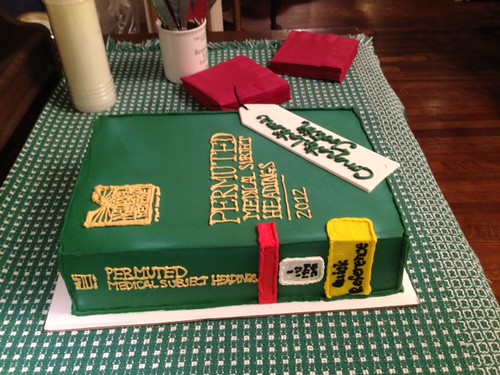
bookcake

Thank you Emily at Wildflour bakery for making on of the best medical librarian themed retirement cakes ever! 

She even got the spine lables!

 
bookcake2