Single Service Desk: Thoughts After #Medlibs Tweet Chat

Last week I summed up the previous week’s #medlibs tweet chat on alternative reference services.  I mentioned that I would go into more detail this week on my thoughts around the reference desk and single service desk in the library.

We have one public service desk in our library.  As I mentioned in my previous post, the library staff at my library tend to call our desk the reference desk or front desk.  In reality it is a single service desk where all sorts of things happen.  It is really the only single established place within the library where patrons can ask questions.  Yes they email, phone, and stop us if we are walking by, but the front desk is the one physical spot to get service.  It could be checking out a book, paying fines, asking for the bathroom, checking out a room, help with a computer/printer, or an actual reference question.  All of our library employees staff the reference desk throughout the week.  The library director, cataloger, ILL personnel and student workers (when we’ve had them) man the desk.

Various people on the tweet chat mentioned several concerns:

  • Isn’t there a blending of our professional status of having both librarians and library assistants essentially doing the same thing (manning the desk) and don’t you have patrons (or administration) thinking we are all the same and interchangeable?
  • You don’t do a lot of “professional” things on the desk. You do more assistant type things such as telling people the location of the bathroom. Isn’t that a waste of time or (to be nice) isn’t there a better use of your time?

First, all of society thinks anybody working in a library is a librarian, so from that perspective it doesn’t matter who staffs the service desk, because everybody thinks they are a librarians. Society’s perspective isn’t going to change on that.  Second, I don’t think of it as bluring our skills and making us interchangeable to patrons.  Why?  I guess because we each have our specialties and if we are on the desk and somebody asks a question outside of the norm and outside of our specialty we freely tell them to wait just a second while we get somebody else who can best help them.  Medical professionals are very familiar with the concept of specialists.  So while all of us work the service desk there are times where we have to have the “Circulation Specialist,” or “RefWorks Specialist” help the patron.  So our patrons see us doing similar services but they also have experienced us getting a “specialist” to help with things certain questions. 

Define professional.  My job is to help people find information.  Information is different for all things, and I am helping people.  While I am on the desk I am constantly looking at ways to improve or help people. I view the service desk as my test kitchen and I am a master chef.  I am able to see what dishes (products) people select and how they use them.  It doesn’t always have to be reference related either.  For example, I have learned a lot just renewing people’s books.  If they tell me they never received the “reminder to renew” email, I am able to double check their email and add a secondary email (that has less stringent spam filters) to their account.  Sometimes I am able to recommend another similar book our research avenue.

I know how my patrons are searching (or not) the catalog and why they can/can’t find things.  I know how they are looking for full text ebooks and I can fully appreciate their frustration with ebooks.  Working on the service desk provides me with the opportunity to work with our patrons and better understand their needs more than any established office hours would because I get to see the patrons in action.  I firmly believe catalogers and tech service people should work the service desk so they experience how their users find and access things.  How are they able to know there is a problem if they are back in their office cataloging all day?

This is just my overall philosophy. Not every situation works for every library.  I think if we had two desks (a reference desk and a service desk) it might be a different story.  Also I think it all boils down to the fundamental real estate philosophy, location, location, location.  If you are off the beaten path you will have a totally different perspective.  We are a very large institution and while the library isn’t exactly centrally located to all departments, we are definitely in a prime location and on one of the main walking thoroughfares.

I believe librarians need to get out and get to know their users.  How they do it can be varied.  The single service desk is just one way.  Abolishing the desk may not be a good thing to do if you have good usage. Our desk has lulls but more often than not, it is hopping.  Getting rid of the service desk would be a disservice to our patrons. Of course keeping the service desk because it has great usage, doesn’t mean we shouldn’t do outreach.  There are still lots of people who don’t come in the library and they need to be reached.  However, the idea that the service desk is dead isn’t true in all libraries, in some libraries it is alive and a great place to meet users.

Do Library Vendors Feud Like Apple?

Yesterday I read on the Cult of Mac, Mike Elgan’s “How Apple’s Obsession with Google is Hurting Apple.”  Elgen describes Apple’s Maps and the removal of Google Maps from Apple’s new iOS 6 as an example of how the company operates when faced with competition. 

Apple removed Google’s (far superior) Map and YouTube programs from its new operating system.  It also created a more seamless integration with the other social networking tools Twitter and Facebook but not Google+.  Many, including Elgen, have said Apple’s actions have more to do with Google’s Android system competing with Apple than the operating system itself.  He even mentions this type of behavior is not new with Apple.  If anybody remembers Apple in the late 80’s and 90’s, it was not the powerhouse company it is today.  It was locked in a battle with Microsoft to the detriment of Apple and consumers. 

“…they become obsessed with Microsoft, and were throwing all kinds of spaghetti against the wall to see what would stick. They became blind to the truth that great products bring more and better customers, and instead tried to beat Microsoft and the larger PC industry at its own game. They tried to litter the market with narrowly targeted product lines just like the clone companies did, even though most of the positioning was just a bullshit series of lies. The Centris, Quadra and Performa lines were more or less the same line, and the consumer electronics products had the Apple logo on them but weren’t Apple products.”

Elgan sees Apple history on the verge of repeating itself and it is an interesting thought. It was after an hour or two after reading the article that another thought popped into my head.  Are there library vendors that follow Apple like practices with competitors?  The idea is intriguing to me.  It would seem to me this ideology is not unique to Apple, they are just one the largest most well know companies so it is more obvious.  This probably happens in all areas of business, including libraries. 

I think competition is healthy.  It is what brings better products and services to the consumer.  But what happens when competition mutates and you aren’t focused on a better product but focused on destroying another competitor.  When the focus of the competition leaves the product or service, it negatively impacts the company, product, and consumers. 

Do we see this with OPAC companies competing for libraries, or has that area settled out?  Do we see it with traditional publishers and OA publishers?  Do we see it with point of care tools?  How about ebooks and all the uncertainty and upheaval in that area? 

Let’s forget about libraries for a brief second and think about healthcare.  I certainly think we see this type of behavior with healthcare at large, but do we see it within our own health systems? Do we see it within our own hospitals and departments?

Competition is good but there is a fine line between it and obsession and the slope can be slippery. If you find yourself in that situation within your institution/company what are your options? Do you have any?

Just some deep thoughts that my silly little iPhone has made me think about.

MLA 2013/2014 Election Slate Announced

Congratulations and good luck to the people on the slate for the MLA 2013/2014 Election.  Now it is up to the voting members to look at the people on the slate and determine who they feel would best represent the MLA membership.

MLA President-Elect
Linda Walton, Hardin Library for the Health Sciences and Branches, University of Iowa–Iowa City
Cynthia L. Henderson, AHIP, Louis Stokes Health Sciences Library and College of Dentistry, Howard University, Washington, DC

MLA Board of Directors
Sandra G. Franklin, AHIP
Terry Ann Jankowski, AHIP
Lisa K. Traditi, AHIP
Kristine M. Alpi, AHIP

MLA Nominating Committee
Julia K. Kochi
Heidi Sue Adams
Rhonda J. Allard
Nicole (Nikki) Dettmar
Elizabeth R. Lorbeer, AHIP
Richard A. Peterson, AHIP
Wayne Loftus
Michelle Henley
James Dale Prince, AHIP
Judy Consales
Margaret H. Coletti, AHIP
Jane Bridges, AHIP
M. J. Tooey, AHIP, FMLA
Gale G. Hannigan, AHIP
Roberta Bronson Fitzpatrick
Brenda Faye Green
Beth Whipple, AHIP
Marie T. Ascher, AHIP

Friday Fun: Zombies in the Library

I haven’t done a Friday Fun post in a while, so when I saw this at my local public library I just had to share.

zombie

Zombies in the library.  I am sure some creative types in academic medical library can figure out a way to do a zombie party for medical students while wrapping in a little emergency/disaster management resource information.


What You Missed on Last Thursday’s TweetChat: Alternative Reference

Last Thursday we had a lively discussion about reference services, more specifically alternative reference.  At first we had a little discussion about the definition of alternative reference and what really is alternative.  Is eliminating the reference desk alternative?  Is embedded librarianship a type of alternative reference.  Lots of people discussed their ideas and I think the term alternative reference for this chat pretty much determined to be “anything outside what has been viewed as traditional roles for reference services” and included things people are doing different with reference.

(Please let me know if I misunderstood any tweets, I am using the transcript along with my memory to provide this brief synopsis.)

@Eagledawg mentioned how they used to have on call reference hours but have moved to chat based reference & consult appointments.  She also mentioned how they are working on providing reference based on the READ scale http://t.co/dqhA3Vel.

Some like @CarolinaFan1982 has done such a great job extending his reference services outside of the traditional library that he cannot even be on Twitter without the nurses he serves asking him questions. But some like @hurstej find their users just aren’t interested in connecting/asking questions via social media.

Much discussion (at least to me) seem to center around abandoning the reference desk and going to something like office hours, consultation services, etc.  There were a few of us like @blevinsa and me who spoke up about doing reference (as well as other things) at our single service desk. 

@BerrymanD and I had a very lively discussion about the importance of the reference desk.  I believe in my institution it is still very important. In his institution it is not used as much.  During the discussion I often referred to the reference desk at our institution.  That was sort of misleading.  We have a single service desk from where patrons can ask reference questions, check out a book, or ask for the bathroom.  In my institution we all call it the reference desk.  I don’t think we ever considered it anything more or less than a reference desk. So part of the reason our desk is so busy is that it is the ONLY desk in the library you can ask questions or get service from.  I think if we had a reference desk and circulation desk our reference desk would be slow. 

It was also mentioned that reference is reference and one doesn’t need a desk to provide it.  That brought up the topic of roving reference and whether anybody was doing that with mobile devices, which would make that ideal. 

All in all it was a great discussion. Very interesting.  I admit I got a bit too focused on the reference desk part of the discussion.  I have a lot thoughts and opinions on the benefits of having a single service desk and every library staff member staffing it at times.  I think that makes an excellent post for next week.  So sometime next week I will write about the things I see at our single service desk and why I think it works for us. 

In the mean time, don’t forget about tonight’s #medlibs chat 9pm est. It is on embedded librarianship.  I hope to see you online.  If you are new, don’t sweat it, just say hi and lurk for a bit.  We are a great group and willing to help you out if you are hesitant with the technology.

You Don’t Need the iPhone 5

You don’t need to rush out and upgrade to an iPhone 5.  Now clearly over 2 million people probably don’t agree with this blog post, but hey why try and be popular. 😉  According to Chris Taylor’s Mashable Op-Ed piece, if you haven’t already joined the millions vying for an iPhone 5, you don’t have to. Chris gives two main reasons for not joining the herd, iOS6 and the S series. 

The new iOS6 will be available in a few days (September 19th) and it apparent is a “quantum leap forward” for Apple’s operating software.  It will included better social integration with Facebook and Twitter, a new Maps app providing turn by turn navigation (but no public transportation), and a “smarter” Siri. 

Chris brings up an interesting good point about the S seriews of iPhones.  “The S cycle, we can start to see after two of them, is where Apple tweaks the iPhone to perfection. Because the number isn’t changing, the company tends to add more features to justify your upgrade. ”  So by waiting for the iPhone 5S (which we assume is the next version) people get the upgraded device with the new “S” enhancements. 

For my husband and other non-iPhone people Chris thinks Android’s 4.1 OS (Jelly Bean) is far more powerful than Ice Cream Sandwich and he really likes Galaxy SIII, the Nexus and the HTC One X and the Windows Nokia Lumia 920. If you don’t have one of those phones and you are wondering when/if your Android will get Jelly Bean you should check out ComputerWorld’s Jelly Bean upgrade list. It is a huge list of almost every Android device and whether it is in the process of getting  or have already gotten the upgrade, expected to get the upgrade, or unlikely to get the upgrade.  (This is my big problem with Android devices, you never know if you are going to get the latest OS upgrade.  Just because you got an upgrade doesn’t mean you will when Key Lime Pie is available.) 

One of the reasons iPhone has started to become more popular with IT departments as RIM circles the drain is that there is little diversity within the iPhone world.  An iPhone is an iPhone, they all get an upgrade (unless you have an iPhone 3 or 3G then it is too old), they all have the same manufacturer and they all operate pretty much the same way.  The downfall of the Android was its diversity when our IT department tested them.  In an organization with 30 thousand employees, several thousand of which have a company phone, you need as little diversity as possible.  With BYOD (Bring Your Own Device) businesses. That is why some think the Windows devices with its “baked in cybersecurity goodness” might be poised to strike big among businesses.

What does this mean for medical libraries?  It means that we need to keep an eye on these things and think about our resources and how they work.  Can we design for every device? No that is why we need to look at web design not apps for our important systems.

Do Top Hospitals Have Libraries?

This idea has been bouncing around in my head for a while and I have tweeted about it on #medlibs tweet chat. Every hospital is very proud (and rightfully so) to be listed as US News Top American Hospital and a lot of work goes into making those hospitals as good as they are. It is my belief that there are certain qualities unique to top hospitals that helps make them a top hospital. They have a certain infrastructure so to speak, that encourages education, innovation, and excellence. I believe part of that infrastructure of those hospitals is library (specifically the librarian) that help make the hospital be the best they can be and a top hospital.

I am not saying that every hospital that has a library is a top hospital. There are hospitals that aren’t top hospitals that have libraries. What I am thinking is that in order to be a top hospital you must have the necessary infrastructure, which includes libraries. My guess is that at least every hospital listed in the top ten have a library but the Top Hospitals list is over 900 institutions long in many specialties, so who knows how many in that large group have a librarian.

US News and World Report states “death rates, patient safety, and hospital reputation were a few of the factors considered,” for the top hospitals. I want to know more. What goes into making a top hospital a top hospital and are there libraries in each one? There is a phrase, “Behind every great man is a great woman.” (I would also say the phrase can be flipped to say behind every great woman is a great man too.) I want to know if the same applies to hospitals. Behind every great hospital is a librarian.

Originally my idea was to look at the Top Hospitals and determine whether they have a librarian. I also wanted to do more than just make it an attendance sheet. After all librarians do more than just show up, they support their hospital’s endeavors and mission. How do I quantify that? (Oh the question we always ask.) Well I assume that a top hospital in a certain specialty probably employs the thought leaders in that specialty and as thought leaders they would have published a about their specialty. So my thought was to take a specialty like cardiology, look at all the hospitals and determine if they have a librarian and how much they are publishing on that broad topic. I realize that isn’t perfect but it was an idea.

As much as I want to look at the Top Hospital list and try and see if they have librarians helping the hospitals be the best, it is a huge project and I am certain there are better ways to do it or better measures. Finding research is my specialty, conducting research is not. However I know there are a lot of librarians and non-librarians out there who are good at doing research. So, I am practicing what I preach, I am reaching out through social media about my research idea. I don’t care if you want to help and have a better way of doing it or if you want to do the whole thing on your own and “scoop me.” I think proving that good librarians are a necessary part of a Top Hospital is very important, I don’t care who/how it is proved.

Just Serve! Join an MLA Committe

When I was a new librarian I was a bit overwhelmed with MLA.  It seemed everybody knew everybody and they were all doing very interesting things. I wasn’t sure how to get involved or how to get my toe in the door.  Believe it or not I am an introvert (though my husband says I am extrovert librarian).  So seeing everybody knowing everybody made me feel nervous and worried about trying to join the group. 

If I knew then what I know now, I would have saved myself some introvert angst.  The key to MLA is serving in MLA.  Volunteering for committees, groups, projects, etc. allows you to work with and know a lot of people.  So by the time the next Annual Meeting roles around you will at least know a few people via email through your committee work.  (I would LOVE it if we could add our pictures to the membership directory so that we can begin to put a face with a name and email.)

I have to say that my participation within MLA has been one of the single most important career development opportunies ever!  MLA is what you make of it.  If you sit around wondering what has MLA done for you, yet do nothing in return, you will get little out of it.  But if you participate, engage in the association then your returns will be rewarding.  Life is not a spectator sport, neither is MLA.  So get out there and volunteer on a committee!

(Below is from the MLA Focus)

MLA Committee Applications Due October 31
Apply today for a committee and play an active part in MLA.

Committees make decisions on awards and scholarships; help plan membership recruitment strategies, continuing education courses, and the annual meeting; participate in the publishing process for the Journal of the Medical Library Association and MLA books; make recommendations on new technology; and more. Apply using the online application form for the 2013/14 association year. You will need your MLANET username/ID and password. Applications are due October 31.

Never served on an MLA committee before? See the August MLA News for tips from President-Elect Dixie Jones, AHIP, on how to increase your chances of being appointed.

How To Integrate Twitter into Your Workflow

Last week I posted that Twitter can definitely be used as a form of professional communication.  I mentioned how Twitter is just as important as email to me. I discuss library related things on Twitter just as much as I do via email.

How do I do this without it being a huge time committment?  Personally I believe a lot of it boils down to the Twitter program I use.  I use TweetDeck or Hootsuite.  These two programs are very similar and are light years better than the regular Twitter page for everyday Twitter use. 

TweetDeck is installed on a computer and can be an app on the iPhone or iPad.  I use TweetDeck on my personal PC and really it is my preferrred Twitter program.  However, it is a bit buggy my iPhone and iPad and since it must be installed I can’t use it on other PCs.  So when I can’t use TweetDeck I use Hootsuite.  Hootsuite lives on the web and doesn’t require installation.  It also seems to work best with my mobile devices. 

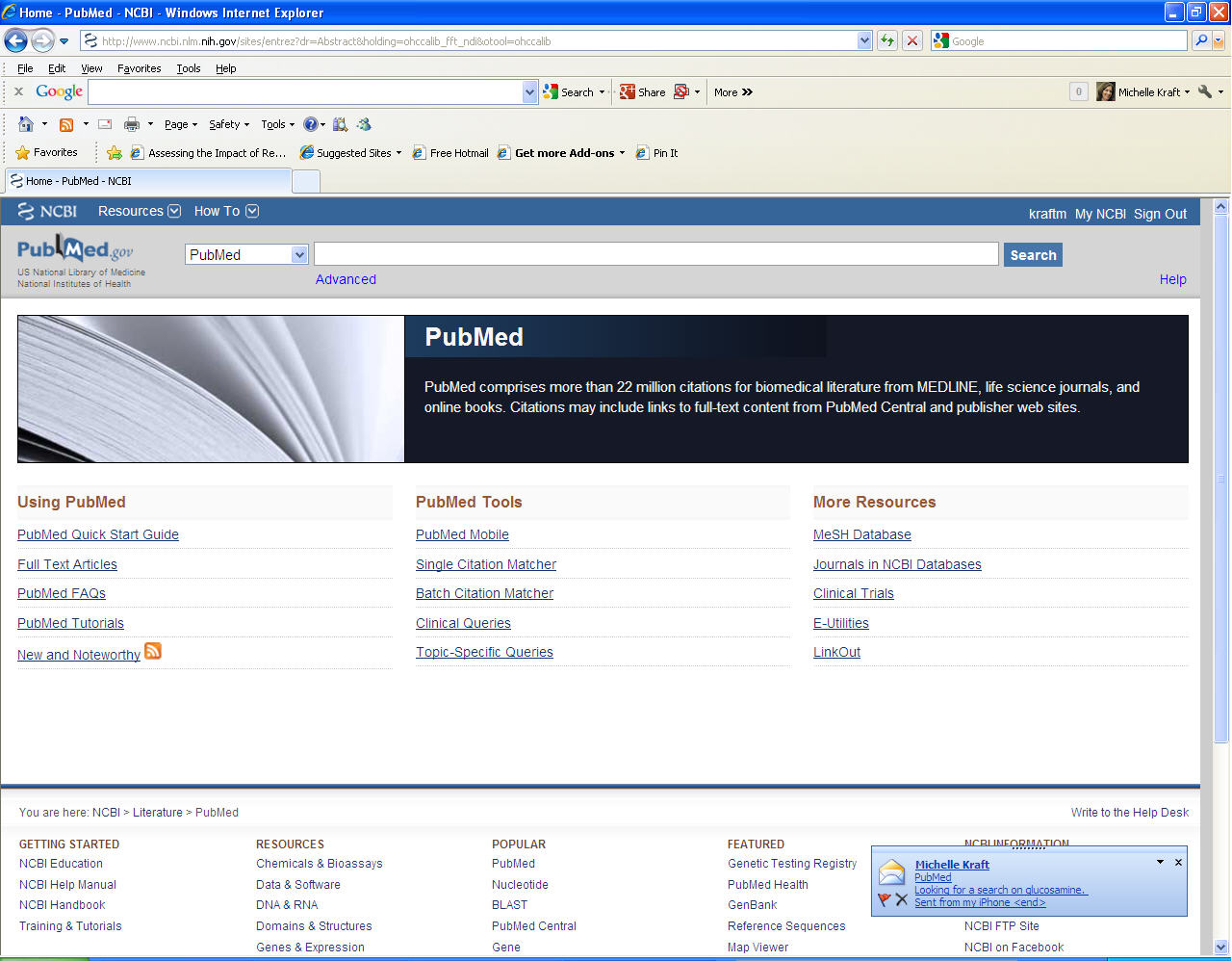
Many people like myself have their email program up and running in the background, so when they are working on something a small pop up box flashes on to the lower corner of their work screen. (Shown below)

 
mailpop

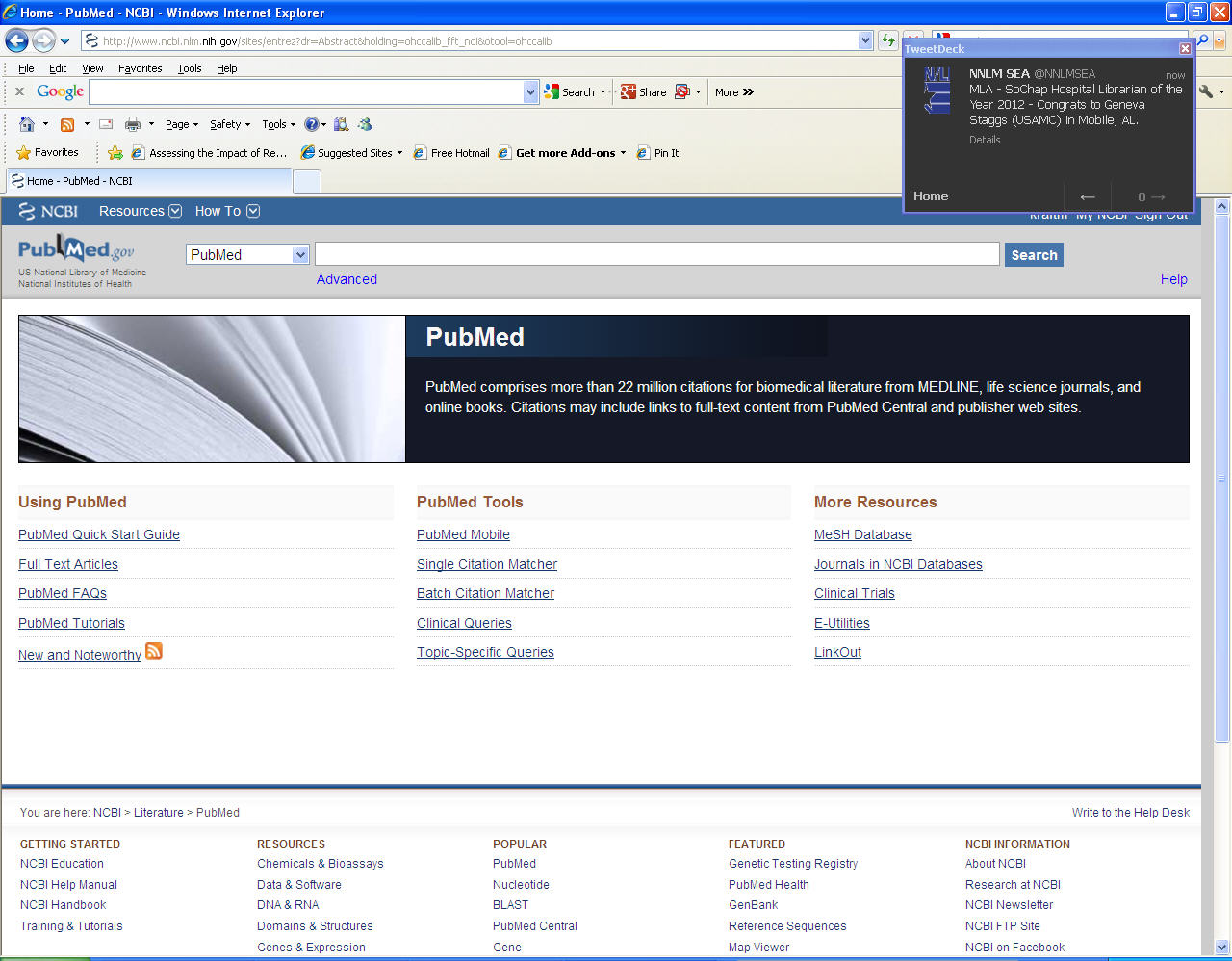
TweetDeck does something similar in the top right of my screen.

 
tweetpop

This allows me to go about my daily work without having to switch between applications to try and view tweets or conversations.  If the box pops up, I glance at it quickly to determine if I am interested or need to respond, which is exactly what I do with an email pop up.  For me, this auto pop up feature has made TweetDeck as integrated in my work flow as email. 

Hootsuite behaves a little differently, it doesn’t have a pop up box (which is the whole reason I LOVE TweetDeck) but it does have a little audio alert (much less annoying than TweetDeck) that tells me there was another tweet. (Always be considerate and where earbuds at work if you are going to have audio alerts.)

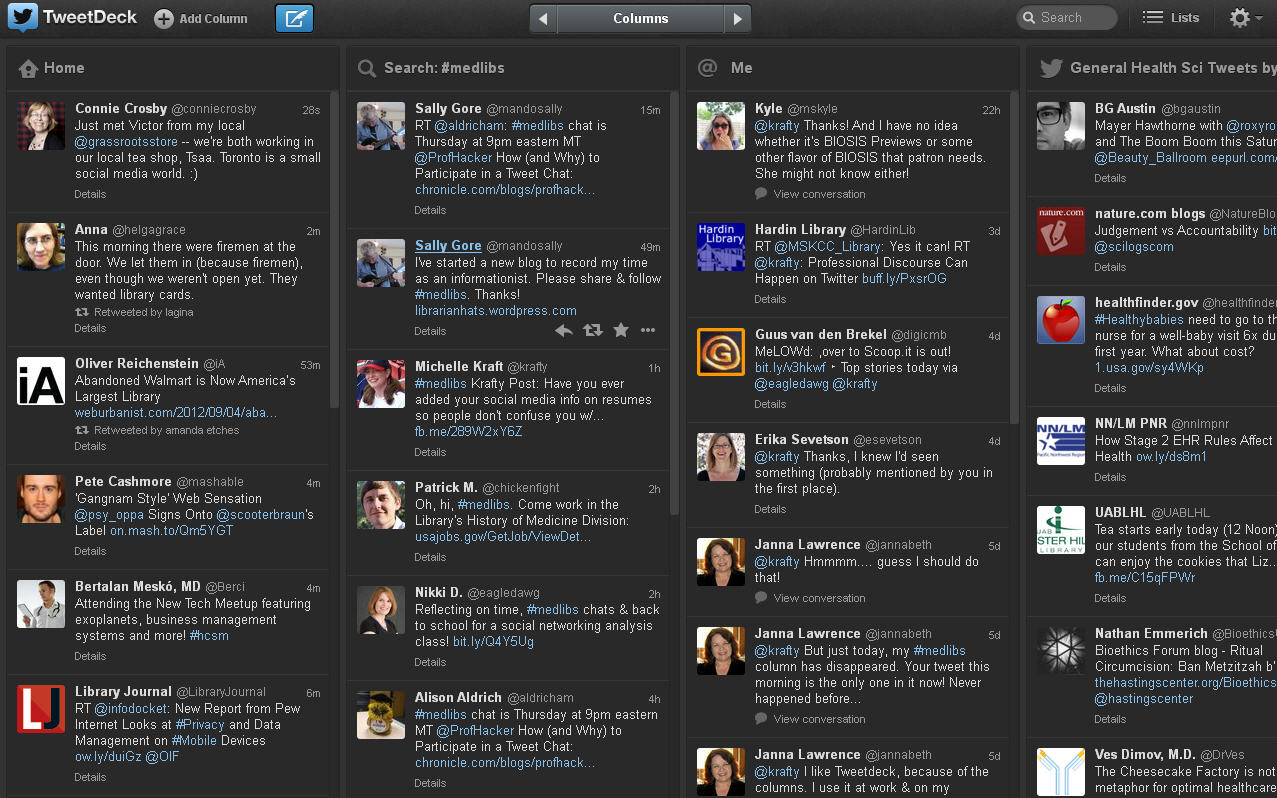
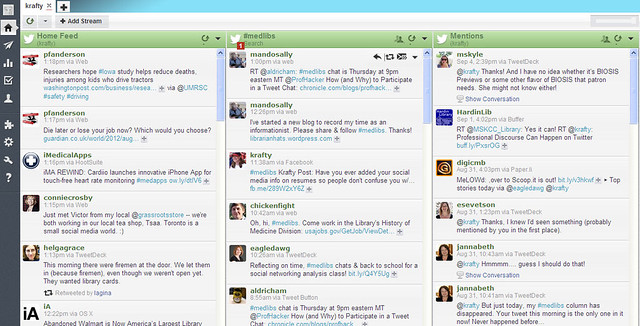
There are a whole host of features to TweetDeck and Hootsuite that making following groups of people and conversations easier and more effective than the plain old Twitter page.  You can sort groups of people and topics into columns, making it easier to follow similar people (librarians) or topics (#medlibs). Below is my a picture of the columns I follow in TweetDeck and Hootsuite.

At first glance this looks like  A LOT of information and tweets, but the important thing to know is that  only my Home Feed is moving a lot and showing a lot of tweets.  The other columns only show a tweet every once and a while.

 
TDcolumns

 
hootcols

The Home Feed are the tweets of everyone I follow that is why it is so active. It like view hundreds of chats all at one time.  I don’t follow a ton of people so I still have my home feed viewable.  Some people who follow thousands of people don’t have their home feed viewable at all.  They choose to monitor conversations by creating columns based on people or topics.

The column with #medlibs is every tweet where somebody uses the hashtag #medlib, which has become the standard method about medical librarianship questions, issues, etc.  In my TweetDeck image you can also see the column General Health Sci Tweets, this is an example of a column of people I follow. I created  a list of people/companies that tweet on that subject.  I have a General Health Sci list, Medical Librarians list, and Non Medical Librarians list. I usually always have the General Health Sci list going because that include librarians, doctors, vendors ets.  The other lists I check once or twice a day just to see if anything interesting has been tweeted. Creating and lists and adding them as column is a great way to manage your twitter discussions if you follow a variety of different people and subjects.

I hid the DM (Direct Message) column, but that is a listing of all the people who private messaged me.  The Mentions feed (@Me on TweetDeck) is a list of every tweet where somebody includes @Krafty in their post.  This is very helpful if somebody asks a question and you don’t follow them, this feed will catch it and I can respond to them.  It also helpful if a person mentions somebody in tweet because they often include their Twitter name.  I use this method often when I am talking about vendor products. 

Examples of this are:

  • Widgets available for #OvidSP @WKHealthOvid
  • Anybody know how to bold a word within the widget screen of libguides @SpringShare

Vendors monitor their @’s on Twitter and they respond quite quickly.  I have gotten a quicker response posting on Twitter like this than I have on Medlib-l.

It sounds like a lot of work, but it is quite simple to create the columns because TweetDeck and Hootsuite feature column display.  As I mentioned the Home feed is the fast moving active feed and I really don’t sit and stare at it the whole time.  I really rely on the pop up box (in TweetDeck) to view things as they come.  The other columns have tweets but usually those don’t come that often (at most 1 an hour) unless I am monitoring a very active discussion.  For example the #medlibs column is often quiet with about 1-2 tweets an hour, but Thursdays at 9pm that column is very active because that is time when we have a #medlibs tweet chat.

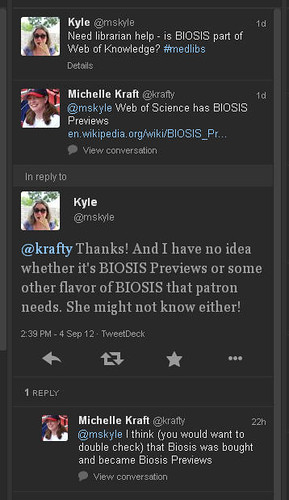
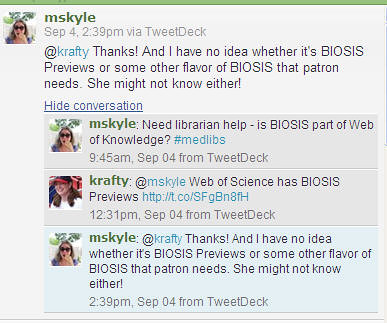
People sometimes tell me that while Twitter is neat they find it hard to follow conversations and discussions.  There are several ways to help make that easier. First, use the hashtag like #medlibs if you are tweeting about a topic or something that would be of interest to a group.  Second, click on the conversation link that is displayed on TweetDeck.  *Note this feature only works if there is a conversation. If it is a single tweet there obviously isn’t a conversation so the conversation link does not show.

Here are two screen shots of how you can follow converstations within TweetDeck and Hootsuite.

convo1

convo2

 Viewing the conversation prevents me from having to scroll around and search for each individual tweet in the conversation thread. 

There are several other features to both TweetDeck and Hootsuite that make using them far superior to the plain old Twitter page.  I rarely go into the Twitter site because it lacks functionality for everyday use.  There are other programs that you might find are better for your workflow.  For me the pop up notification of TweetDeck is the most important feature for me, it allows me to do my regular job and just look at tweets as needed. 

If you have tried to do Twitter for professional communication but you use it through Twitter’s site and it hasn’t gone well, try TweetDeck or Hootsuite.  A perfect way to see if it fits into your work flow is to go to Twitter create an account (if you don’t have one) and then create a Hootsuite account or download TweetDeck.  Use it for 1-2 weeks and experiment with it.  Maybe it will work for you. 

Finally, I know a lot of what I just wrote about can seem pretty technical and in depth for those new to Twitter.  My advice is to take it slow, get your feet wet, experiment, and follow some great medical librarian twitters like me @krafty, Nikki Dettmar @eagledawg, PF Anderson @pfanderson, Eric Rumsey @ericrumsey, and Sally Gore @mandosally. We can help you along the way as you experiment.

A great way to experiment is to participate in the #medlibs chat every Thursday 9pm est.  Tonight is “Free Range Thursday” where the topic is up for grabs and it can be on anything related to medical libraries. Still nervous about participating in a Twitter chat, here is a great article on The Chronicle, “How (and Why) to Participate in a Tweetchat” to get you started.

Social Media: Employers and Professionalism

Hopefully by now those of you on social media know that employers and other people looking to do work with you are looking at your presence on social media sites such as Facebook, Twitter, LinkedIn, etc.

I found an interesting article on Mashable social media traps that people should beware of.  Believe it or not, the picture of you with alcohol (provided you aren’t doing your best Prince Harry in Vegas impersonation) isn’t as frowned upon as poor spelling.  In fact four other things were worse (in recruiters eyes) than picture of you with a beer. Drug use, sexual posts/tweets, profanity, and poor spelling were worse than pictures of alchohol consumption.

Other things that are considered a negative are:

  • Political posts/tweets
  • Overly religious posts/tweets
  • References to Burning Man festival (anybody have any idea as to why?)

So if they are snooping around, what do you want them to see besides a blank page with your picture, indicating you have locked everything down like Fort Knox?  According to Mashable, recruiters want to see membership in professional organizations and volunteering/donating to charity.  Obviously locking down certain content and making other content openly available is key and requires some careful attention to Facebook, Twitter, etc. security controls. 

What I found to be the most interesting tidbit of information was one of the tips Mashable provided in this piece.  It suggested that people should start including links to their LinkedIn, Facebook and Twitter profiles on their resume so that recruiters don’t accidentally mistake somebody else’s profile with yours.  Huh…I never thought about that.  I can see where that could be a big problem, especially with common names and in professions that aren’t as small and tightly knit as librarians. 

In the past it has been all about locking your social network down so nobody except for those few approved people can see it.  Now there are suggestions that not only do you unlock positive activities for all to view but you actually include your profile information to recruiters.  Have we turned a corner in social media?  Is it now assumed that everybody has a social media presence? Do those who don’t have one or have one so locked down that it isn’t easily viewed run the risk of being mistaken for somebody else or possibly hiding something?

What are your thoughts?